

You're Paying 10x More Than You Should. It's Called Model Routing.
How routing queries across three model tiers cuts LLM costs by up to 95% in production, the architecture, the tradeoffs, and the silent failure nobody warns you about.

I once watched an AI support system send what are your business hours? query to GPT-4.
Same model it used for complex multi-step reasoning. Same cost per token. Same wait time. For a question a FAQ page could answer in two seconds.
That’s what most AI systems do by default. They send every query to the smartest model available. It feels safe. It isn’t. It compounds into a bill that eventually kills the product.
Model routing is the fix. It’s not a flashy idea. It won’t make a good demo. But in production, it’s where most of the real cost savings come from.
So what is model routing?
It means reading each request, judging how hard it is, and sending it to the cheapest model that can handle it correctly.
That’s the whole idea.
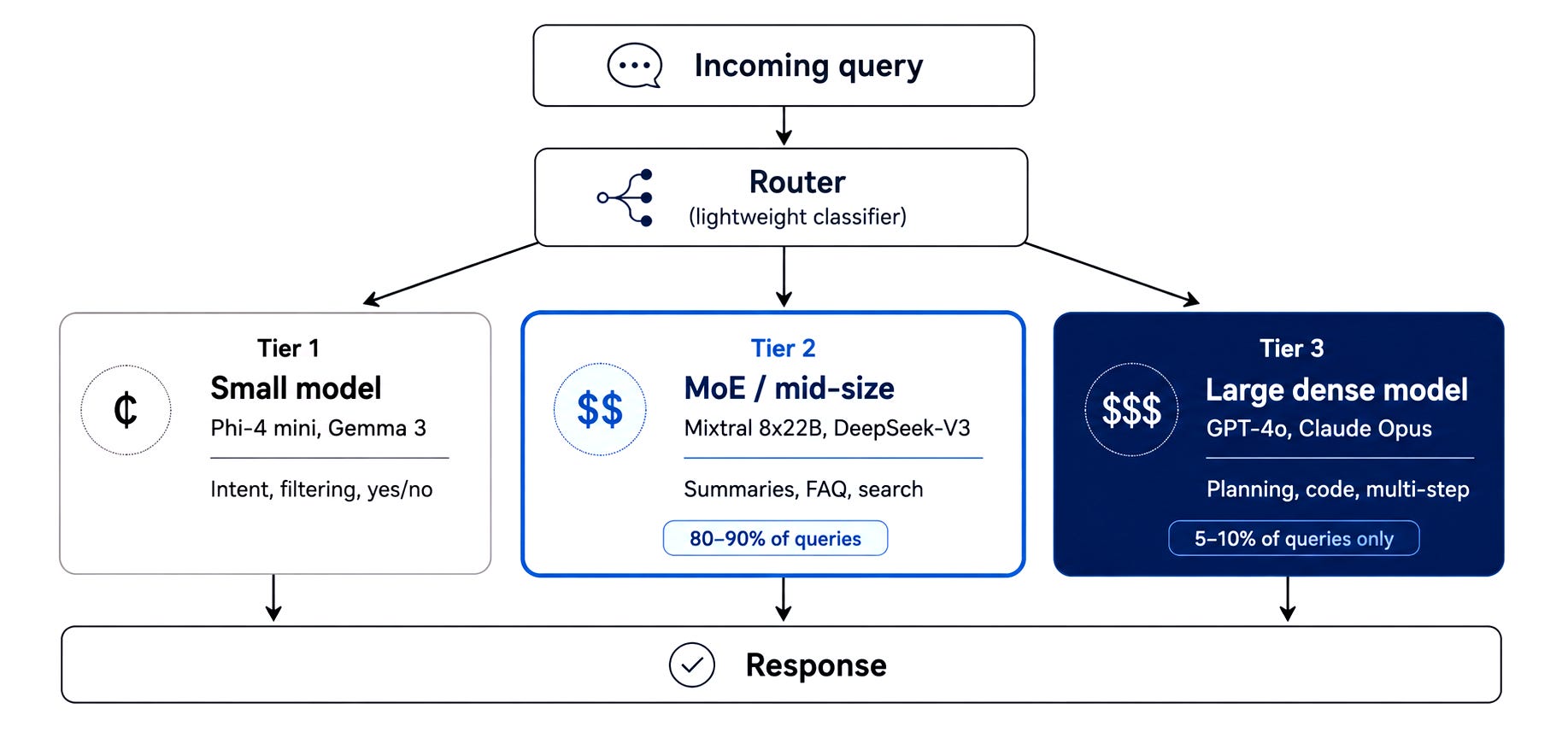
A yes or no filter doesn’t need GPT-4. A customer asking about a return policy doesn’t need Claude Opus. But a five-step migration plan for a legacy database? That probably does.
The router is usually a small, lightweight classifier. Think of it as a traffic controller. It reads the message, decides the tier, and sends it there. It runs on every single request, so it has to be fast and cheap.
The three tiers
Most production systems settle into a three-tier pattern. Here’s how it looks:
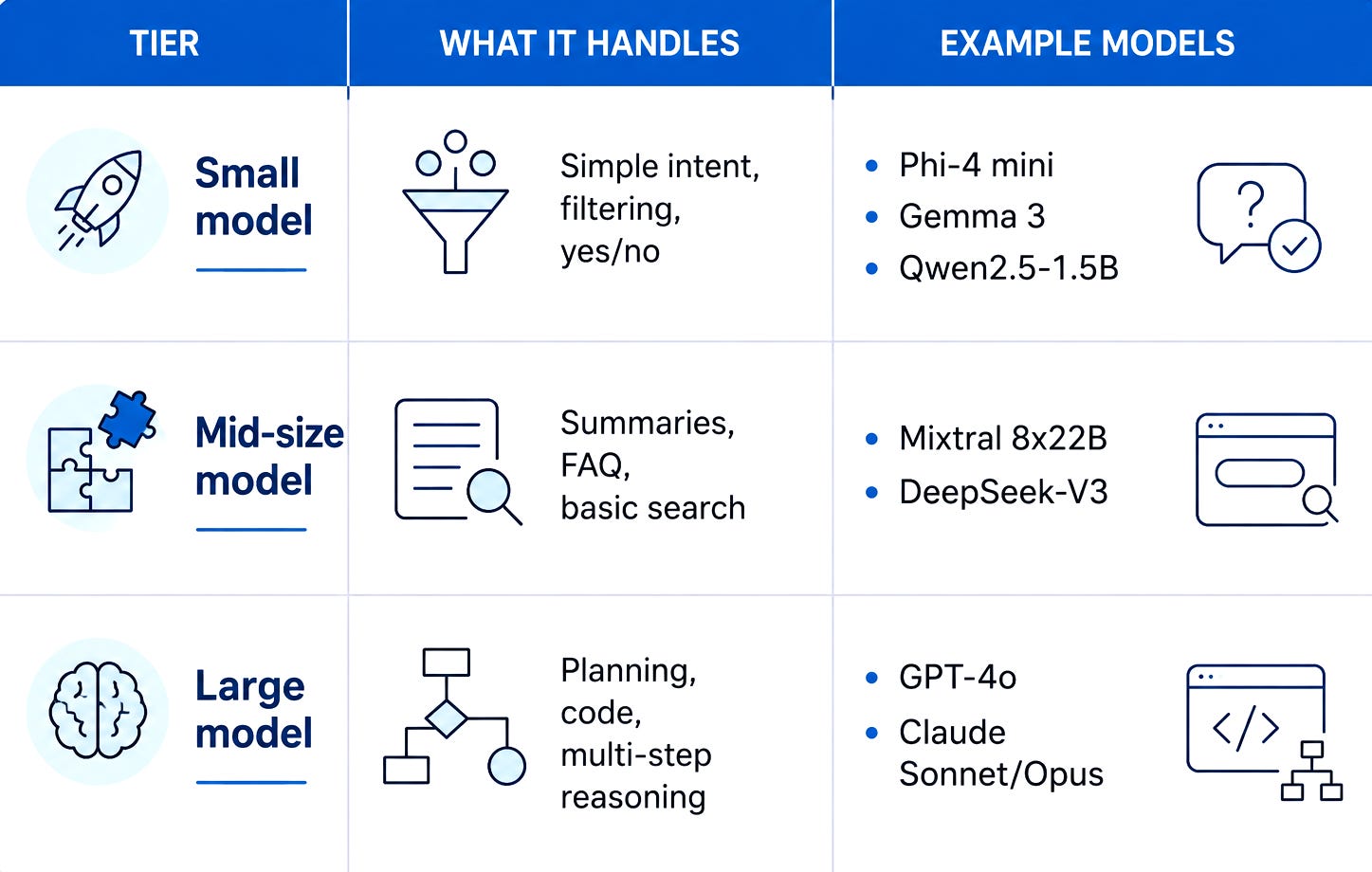
The mid-size tier is where the economics get interesting.
These models use a design called Mixture of Experts (MoE). Instead of running all their processing power on every single word, they only activate a slice of it. They’re faster than big dense models and much cheaper. For FAQ work, summaries, and most search-based tasks, they perform just as well.
The large model at the top should fire rarely. In a well-built system, 80-90% of queries are repetitive and predictable. They don’t need the frontier model. Getting that routing right is where the savings come from.
What the numbers look like
A real enterprise support system using this three-tier setup cut its costs by around 95%. Not a typo. Ninety-five percent.
The setup: a small model to route intent, a mid-size model for FAQ and summaries, and a frontier model for the 5-10% of queries that genuinely need it.
That’s the difference between a product that scales and one that bleeds money as it grows.
Two other things routing fixes that people underestimate:
Speed. Small models are faster. Most users don’t need the smartest answer. They need a quick one.
Concurrency. With routing, you handle more sessions at the same time per GPU, or per $ of API spend. This is what makes high-volume products economically possible.
Subscribe to The Neural Blueprint
By Vijendra
Deconstructing the architecture of modern AI systems
The failure mode nobody warns you about
Here’s the thing I wish more people said upfront: a miscalibrated router fails silently.
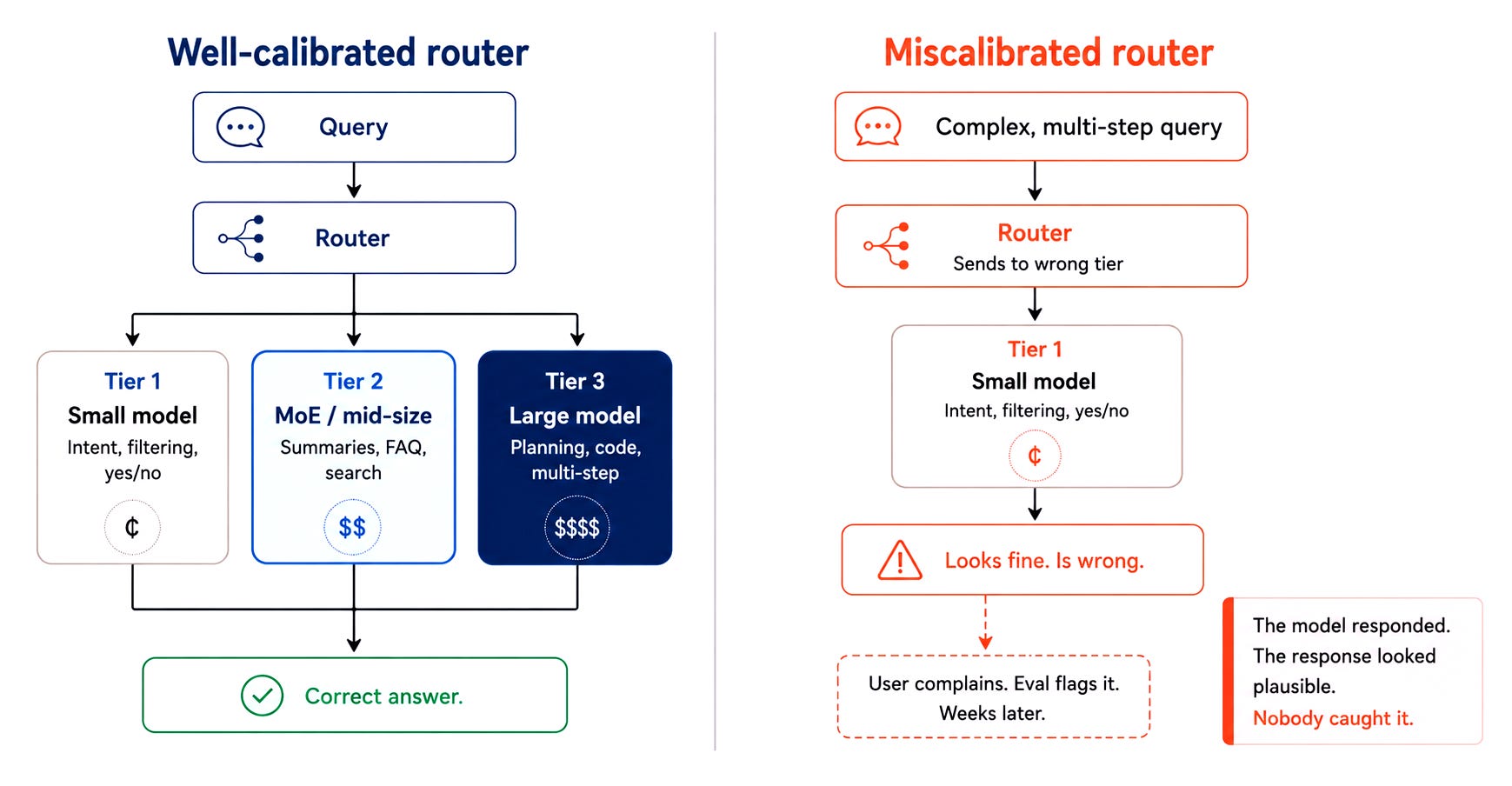
It sends a complex query to a weaker model. The model responds. The response looks fine. It’s wrong. Nobody catches it for weeks.
This is the real cost of routing. Not the setup complexity. The monitoring debt.
You need to track which tier each request hits. You need to watch for patterns where the mid-tier model underperforms. You need to tune the thresholds over time.
Tools like Langfuse or Datadog, or even a plain log file make this manageable. The point isn’t which tool. The point is: routing is not a one-time setup. It’s an ongoing calibration.
When is routing worth the effort?
If you’re a solo builder with low traffic, a three-tier routing layer may cost more in complexity than it saves early on. The math flips when you have volume.
A rough threshold: once you’re spending more than a few thousand $ per month on LLM API calls, routing starts paying back its setup cost quickly.
For teams building anything at scale: support bots, content pipelines, classification systems, routing isn’t optional. It’s just infrastructure.
How to start without overbuilding
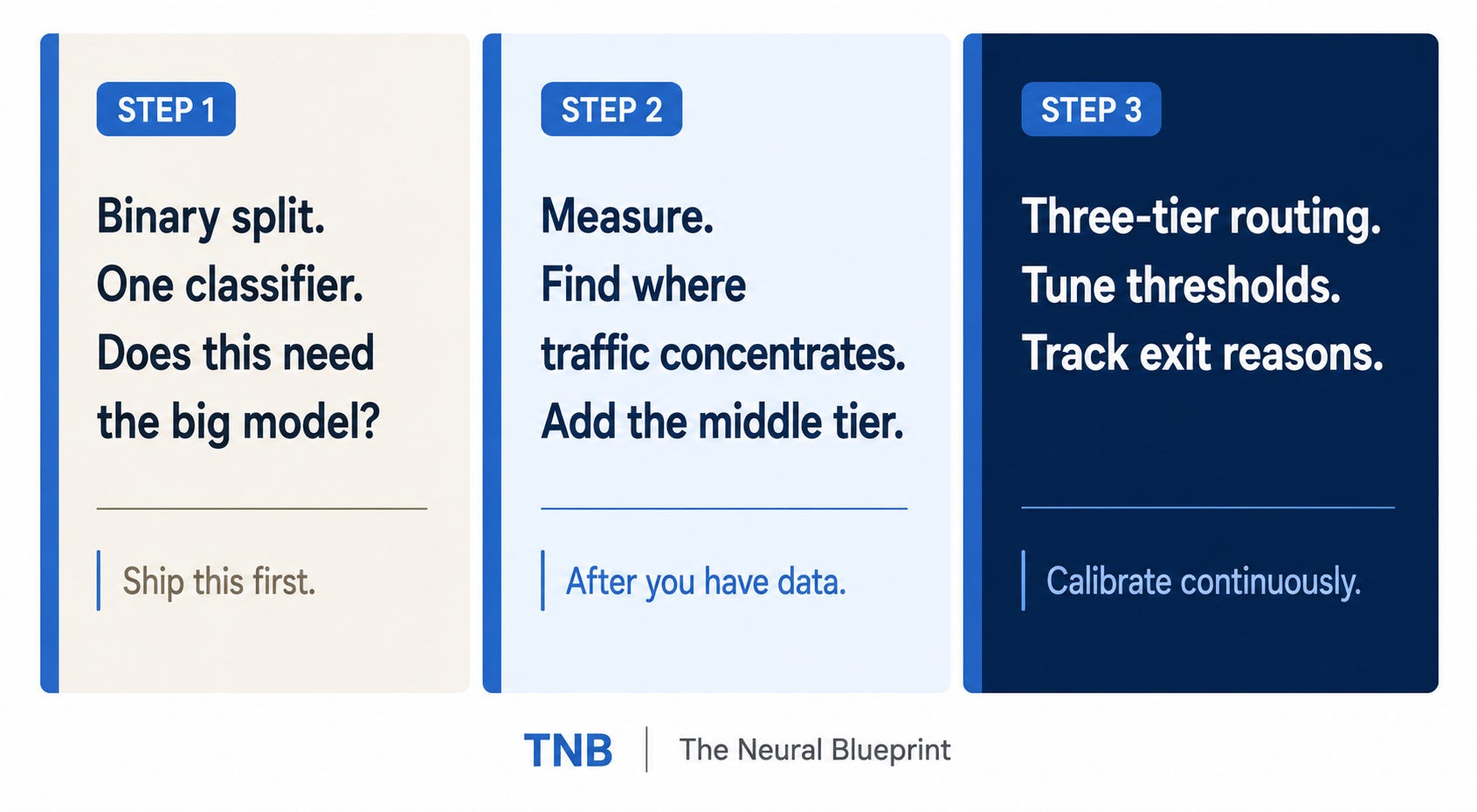
You don’t have to build all three tiers at once.
Start with a binary split. A fast classifier that asks one question: does this need the big model, or can a smaller one handle it? Ship that. Measure it. Then add the middle tier once you know where your traffic actually concentrates.
The right question to ask every time is: what’s the cheapest model that would get this right? Default to that not to the strongest model available.
Most builders skip routing early because it adds complexity. By the time they add it, they’re already paying 10x what they should be.
If you’re starting fresh: wire the routing layer before you scale. It’s much easier to add before you have traffic than after.
If you already have a system running: you don’t need to rebuild. Add the three exit conditions around your existing logic, test against your eval set, and set your max-steps to 30% above your current natural exit average. The routing logic drops in without touching your tools or prompts.
I built an interactive demo to understand how model routing works…
Here is the link: https://virajput.github.io/model-routing
If you’ve already shipped a routing layer where did the calibration break first? That’s the part nobody writes about. Reply or drop a comment. I’m genuinely curious.
See you again...

~Vijendra | The Neural Blueprint
Agentic systems. Enterprise AI. The architecture of what’s next.